
Unit 2A, 17/F, Glenealy Tower, No.1 Glenealy, Central, Hong Kong S.A.R.

How it works
One SIM at home, one phone with you, and a relay in between
The whole system is three pieces. This page walks through all of them, including the part that cannot be protected.
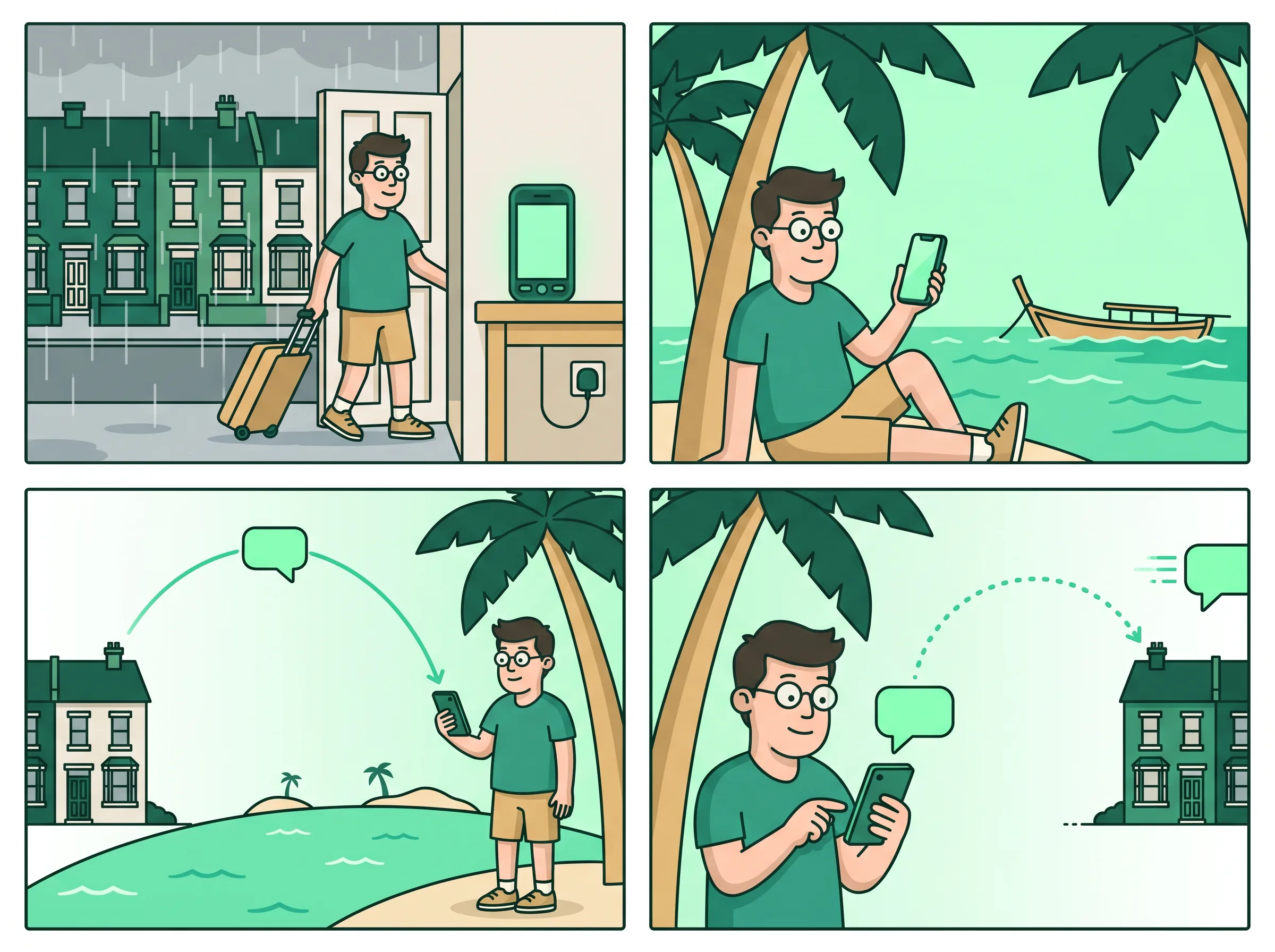
A trip, in four frames
Dave leaves his phone at home
His SIM stays in the UK. He goes to Thailand. The messages find him anyway.
1
The old phone stays home, plugged in, with the UK SIM in it.
2
Dave flies to Thailand with the phone he actually uses.
3
His bank texts the UK number. It arrives in his hand, seconds later.
4
He replies. The answer leaves from the UK SIM, as if he were home.
Setting it up
Four steps, one evening
Do this before you leave, while both phones are on the same table.
1
Pick the phone that stays
Any Android from the last several years, with your SIM in it, somewhere with mains power and wifi. A drawer at your parents' house is fine.
2
Install the forwarder
One small app, which becomes that phone's SMS app. It has no interface to speak of: it receives, forwards and sends, and nothing else.
3
Scan the QR
The handset shows a pairing code, your iPhone scans it, and the two devices know each other. The code works once and dies after two minutes.
4
Leave
Nobody has to touch the phone at home again. If it reboots or the power goes out and comes back, it starts forwarding again on its own.
One message
What actually happens when your bank texts you
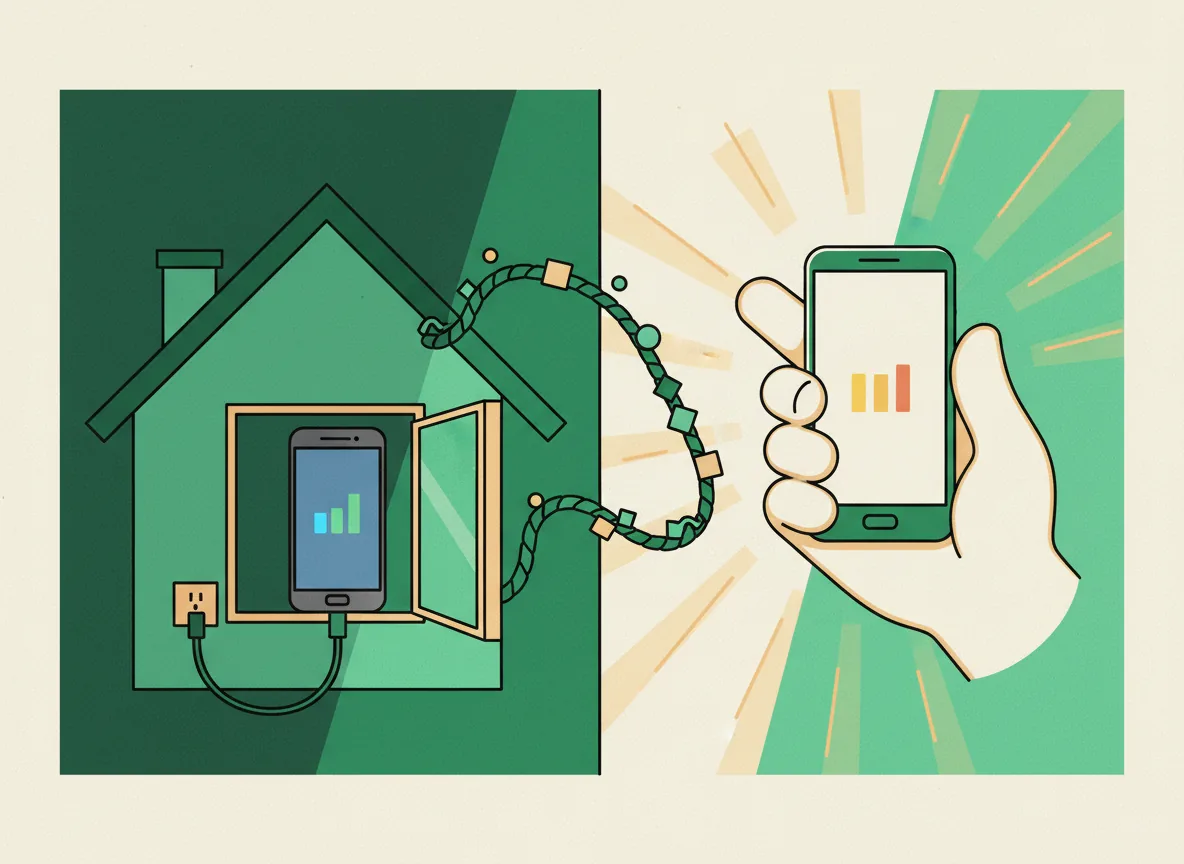
Four hops, in the order they happen, with no hand-waving about the first one.
It reaches the SIM
An ordinary SMS crosses the mobile network and lands on your SIM, exactly as it always did. This part is not ours and it is not encrypted.
The handset seals it
The forwarder hands the message straight to the relay over an encrypted connection, and the relay seals it before writing it down anywhere.
The relay pushes
A content-free push wakes your app. The notification itself carries no text, so nothing readable passes through Apple or Google.
Your phone opens it
Your app collects the sealed message and opens it with a key that never left your device. The relay then deletes its copy.
The middle
The relay is a post box, not a mailbox
Between your two phones sits one small server. It exists because the phone at home and the phone in your hand are almost never awake at the same moment, and something has to hold a message for the seconds or hours in between.
It holds each message sealed, it deletes it as soon as your phone has taken it, and it keeps no history of your conversations. What it cannot honestly claim is that it never had the chance to read one: the phone at home has no key material of its own, so the sealing happens at the relay rather than before it. That is the one place where you are trusting us, and it is stated on the privacy page rather than buried.
Who can read what
1
The mobile network: reads the message. This is true of every SMS ever sent, with or without us.
2
The phone at home: reads the message, because it is the phone the SIM is in.
3
The relay: seals it on arrival and stores nothing readable, but is the point where sealing happens.
4
Apple and Google: carry a wake-up push with no content in it, so they carry nothing.
Straight answers
The questions people actually ask
Six of them, answered without marketing.
Does my phone need a SIM?
No. The phone you carry needs an internet connection and nothing else. A local SIM, hotel wifi or a cafe are all fine, and you can put whatever local SIM you like in it.
Can I take or make phone calls?
No, and no app can. Android reserves the capture and injection of in-call audio for the system, so a call ringing in Milan cannot reach your ear in Bali no matter what software you point at it. SimTether does not pretend otherwise and does not try. The call rings on the phone at home exactly as it always has. What is being built instead is the part that was actually missing: the app telling you a call came in and from which number, so you can call back on your local SIM, over WhatsApp, or however is cheapest from where you are. Dialling out you can already do; knowing to dial is the bit you were losing.
What if the power goes out at home?
Messages that arrive while the handset is off are stored on the SIM or by your operator in the normal way, and are forwarded when it comes back. The app also shows you when a handset has stopped checking in, so you find out from the app rather than from a missed deadline.
Can somebody else pair with my SIM?
Only by physically holding the phone at home and starting a pairing on it. The code it shows works once, expires in two minutes, and is refused a second time even if two people scan it at the same instant.
Does it cost anything to send?
Not to us. A reply is a real SMS sent by your own SIM, so your operator counts it exactly as it would if you had typed it on that phone yourself.
What happens if I stop?
Take the SIM out of the handset and you are back where you started. Nothing was ported, no number was transferred and no operator was ever involved, so there is nothing to undo.
SimTether has not been independently audited, and an SMS crosses the mobile network in the clear long before it reaches the phone at home. We protect everything after that point, and we say so plainly rather than calling it end-to-end encrypted.
Get in touch
Tell us what you need to reach
One SIM or four, one country or three: describe the situation and we will tell you honestly whether this solves it.
Head office
Unit 2A, 17/F, Glenealy Tower, No.1 Glenealy, Central, Hong Kong S.A.R.
Email us
SimTether
SimTether puts the texts from the SIM you left at home on the phone you carry, and lets you answer from the same number. Free, with no account.
Contact
Unit 2A, 17/F, Glenealy Tower, No.1 Glenealy
Central, Hong Kong S.A.R.
Monday to Friday, 09:00 to 18:00 HKT
Occasional updates
One short email when there is something real to say, such as the app reaching the App Store. Nothing else.
SimTether is software for reaching your own messages. It is not an operator, it does not issue numbers, and it does not port anything.
© 2026 HK Managed Services Provider Limited. All rights reserved.